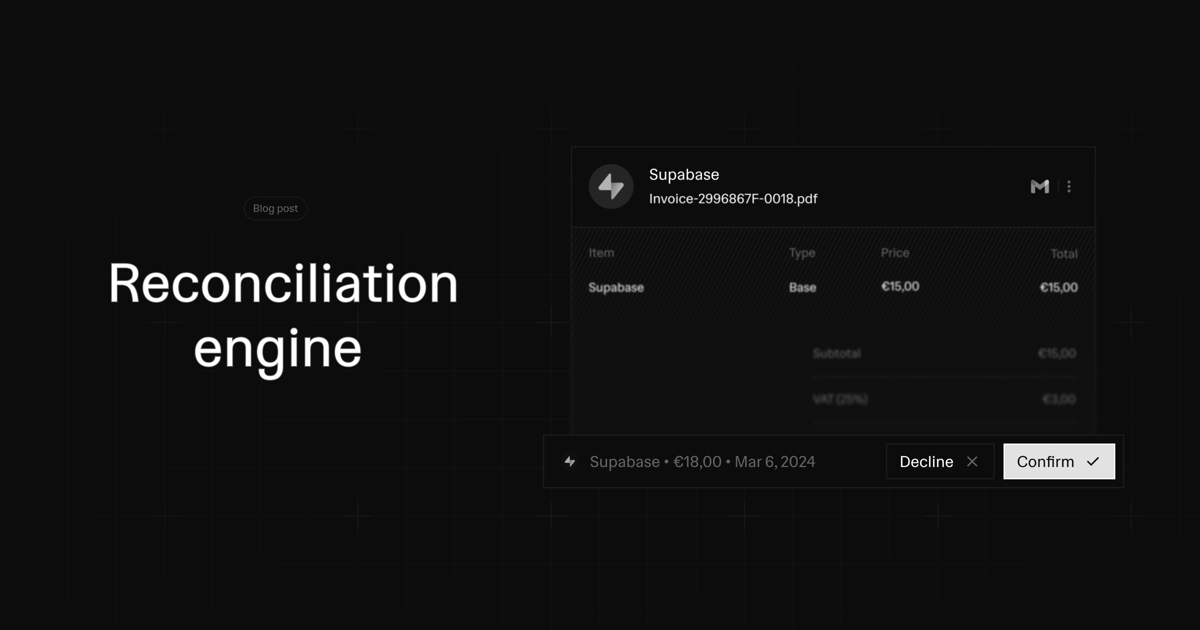
Financial reconciliation has always been one of the most tedious aspects of running a business. Manually matching receipts to bank transactions is time-consuming, error-prone, and frankly, mind-numbing. That's why we built a reconciliation engine that does this automatically with high accuracy.
Today, we're pulling back the curtain on how our automatic transaction matching works. From the preprocessing pipeline that cleans and enriches your data, to the algorithms that learn from your behavior and get more accurate over time.
The Problem: Why Clean Data Matters More Than Ever
Traditional reconciliation systems rely on exact matches—same amount, same date, maybe some basic text matching. But real-world financial data is messy:
- Currency conversions create slight discrepancies in amounts
- Banking delays mean transaction dates rarely match receipt dates exactly
- Merchant names vary wildly between receipts and bank feeds ("Apple Inc." vs "APPLE.COM/BILL" vs "APL*ITUNES.COM")
- Processing fees and exchange rates introduce small amount variations
This messiness means traditional systems either miss obvious matches or flood you with false positives. We needed something better.
Our Approach: Multi-Dimensional Matching
Our reconciliation engine doesn't just look at one or two data points. It analyzes transactions and receipts across multiple dimensions simultaneously, using embeddings to understand the semantic meaning behind the data.
1. Data Preprocessing & Enrichment
Before any matching happens, we run both transactions and inbox items through an extensive preprocessing pipeline:
Transaction Enrichment:
- Merchant name standardization using our provider network
- Legal entity resolution (connecting "AMZN" to "Amazon.com, Inc.")
- Category prediction based on merchant patterns
- Currency normalization with real-time exchange rates
Document Processing:
- OCR extraction for receipts and invoices
- Tax rate and type detection (VAT, GST, Sales Tax)
- Date parsing with format normalization
- Amount extraction with currency detection
The key insight: clean, enriched data is the foundation of accurate matching. Garbage in, garbage out. So we invest heavily in making sure the data going into our matching algorithm is as clean and standardized as possible.
2. Vector Embeddings: Understanding Context
Here's where it gets interesting. Instead of just comparing text strings, we use 768-dimensional vector embeddings to capture the semantic meaning of transactions and receipts.
const transactionText = prepareTransactionText({
name: transaction.name,
counterpartyName: transaction.counterpartyName,
merchantName: transaction.merchantName,
description: transaction.description
});
const embedding = await generateEmbeddings([transactionText]);
These embeddings allow our system to understand that "AMZN MKTP" and "Amazon Marketplace Purchase" refer to the same thing, even though the text strings are completely different. The system learns patterns like:
- "SQ *COFFEE SHOP" → "Square Coffee Shop Receipt"
- "PAYPAL *DIGITALOCEAN" → "DigitalOcean Invoice via PayPal"
- "APL*APPLE.COM" → "Apple App Store Purchase"
We use pgvector in PostgreSQL with HNSW indexing for lightning-fast similarity searches across millions of transactions.
3. The Matching Algorithm: Multi-Factor Scoring
Our matching algorithm evaluates four key dimensions, each with carefully tuned weights:
Embedding Score (50% weight): Semantic similarity between transaction and receipt text
Amount Score (35% weight): Financial accuracy with tolerance for fees and conversions
Currency Score (10% weight): Currency matching with cross-currency support
Date Score (5% weight): Temporal alignment accounting for banking delays
const confidenceScore =
  embeddingScore * 0.5 +
  amountScore * 0.35 +
  currencyScore * 0.1 +
  dateScore * 0.05;
But here's the clever part—we don't just calculate a simple weighted average. The algorithm has sophisticated logic for different matching scenarios:
Perfect Financial Matches: If currency and amount match exactly, we boost confidence significantly even with moderate semantic similarity.
Cross-Currency Excellence: For different currencies but matching base amounts (after conversion), we apply specialized tolerance calculations based on transaction size.
Semantic Strength: Strong semantic matches can overcome minor financial discrepancies, perfect for cases where fees or tips create small amount differences.
4. Adaptive Thresholding & Auto-Matching
Not all matches are created equal. Our system categorizes matches into three tiers:
Auto-Matched (90%+ confidence): Automatically processed without human intervention
High Confidence (72-90%): Suggested with high priority
Suggested (60-72%): Flagged for manual review
The thresholds aren't static. They adapt based on your team's behavior through our learning calibration system.
5. Semantic Merchant Pattern Auto-Matching
Here's where our system gets really smart. We've built a merchant learning system that recognizes patterns in your transaction history to enable safe auto-matching for proven merchant pairs.
How It Works:
When evaluating a potential match, our system doesn't just look at the current transaction—it analyzes your historical matching patterns for similar merchants using semantic embeddings. If you've consistently matched receipts from "Netflix" to "NFLX NETFLIX.COM" transactions with high accuracy, the system learns this pattern.
Auto-Match Eligibility:
For a merchant pattern to enable auto-matching, it must meet strict criteria:
- Minimum History: At least 3 confirmed matches for similar merchant patterns
- High Accuracy: 90%+ accuracy rate (confirmed vs declined/unmatched)
- Low Risk: Maximum 1 negative signal (declined or unmatched match)
- Strong Confidence: Average historical confidence ≥ 85%
- Recent Activity: Pattern activity within the last 6 months
- Current Match Quality: ≥85% semantic similarity + perfect financial match + good date alignment
Conservative Learning:
For unproven merchants, we apply a conservative 85% confidence cap until patterns are established. This prevents false auto-matches while the system is still learning your specific merchant relationships.
Learning Calibration: Getting More Accurate Over Time
This is where our system becomes adaptive. Every time you confirm, decline, or unmatch a suggestion, we feed that data back into a sophisticated calibration algorithm that adjusts the matching thresholds for your team based on 90-day performance windows.
export async function getTeamCalibration(
db: Database,
teamId: string,
): Promise<TeamCalibrationData> {
const performanceData = await db
.select({
matchType: transactionMatchSuggestions.matchType,
status: transactionMatchSuggestions.status,
confidenceScore: transactionMatchSuggestions.confidenceScore,
})
.from(transactionMatchSuggestions)
.where();
const calibratedThresholds = calculateAdaptiveThresholds(performanceData);
return calibratedThresholds;
}
Enhanced Calibration: We use 90-day performance windows with minimum 5 samples before any calibration activates. Conservative adjustments need 8+ samples, while aggressive threshold reductions require 25+ confirmed matches.
Confidence Gap Analysis: We analyze the confidence score patterns between confirmed vs declined matches, including post-match unmatching feedback as negative signals.
Volume-Based Tuning: High-engagement teams (25+ confirmations) get slightly more aggressive thresholds, while maintaining conservative 85% caps for unproven merchants.
Pattern Recognition: We learn your specific business patterns—maybe you frequently have small processing fees, or you often pay invoices 30 days after receipt.
The calibration system tracks multiple metrics:
- Auto-match accuracy rate
- Suggested match acceptance rate
- Average confidence scores for confirmed vs. declined matches
- Post-match unmatch rate (negative feedback)
The Data Flow: From Upload to Match
Here's how it all comes together when you upload a receipt:
1. Document Ingestion
- Receipt uploaded to inbox (email, drag-drop or Gmail auto sync)
- OCR processing extracts text, amounts, dates, tax info
- Document classified as invoice, expense receipt, etc.
2. Preprocessing & Enrichment
- Merchant name standardization
- Amount and currency normalization
- Date parsing with format detection
- Vector embedding generation
3. Candidate Identification
- Multi-tier database queries find potential matches:
- Tier 1: Exact financial matches (same currency + amount)
- Tier 2: Strong semantic matches with moderate financial alignment
- Tier 3: Good semantic matches with loose financial tolerance
4. Scoring & Ranking
- Each candidate scored across all dimensions
- Team-specific calibration applied
- Best match identified with confidence level
5. Action Decision
- Auto-match: High confidence matches processed immediately
- Suggest: Medium confidence matches flagged for review
- Hold: Low confidence matches remain unmatched
6. Learning Loop
- User actions (confirm/decline/unmatch) fed back to calibration system
- Thresholds adjusted for future matches
- System gets smarter over time
Technical Architecture
Our matching engine is built for scale and reliability:
Database: PostgreSQL with pgvector extension for embedding storage and similarity search
Embeddings: Google's Gemini embedding model (768 dimensions) with HNSW indexing
Background Processing: Trigger.dev handles embedding generation and batch processing
Caching: Intelligent caching of embeddings and calibration data
Monitoring: Comprehensive logging and performance tracking with automatic alerting
The system processes thousands of matches daily with sub-second response times, even as embedding databases grow into millions of vectors.
After months of refinement and thousands of hours of real-world usage, our matching engine achieves:
- 95%+ accuracy on auto-matched transactions with proven merchant patterns
- Sub-second matching for most documents
- Cross-currency support with intelligent tolerance handling
- Conservative merchant learning that prevents false positives while building trust
- Adaptive calibration that improves accuracy over time based on team behavior
- 99.9% uptime with robust error handling and fallbacks
Teams report saving 5-10 hours per week on reconciliation tasks, with receipts automatically matching to the right transactions without manual intervention.
What's Next
We're continuously improving the matching engine with several exciting developments in the pipeline:
Enhanced Document Understanding: Better extraction from complex invoices and multi-page documents
Predictive Matching: Suggesting matches before transactions even appear in your bank feed
Automatic Categorization: Category assignment based on matched receipt content
Multi-Document Matching: Handling cases where one transaction matches multiple receipts or vice versa
Advanced Learning: More sophisticated ML models that understand your specific business patterns
The Bigger Picture
Automatic reconciliation is just the beginning. Clean, matched financial data unlocks powerful insights: cash flow predictions, spending pattern analysis, tax optimization, and automated reporting.
By solving the tedious problem of receipt matching, we're freeing business owners to focus on what matters: growing their business.
The future of business finance is automation that works seamlessly in the background, and we're excited to be building that future.
Want to experience automatic reconciliation for yourself? Sign up for Midday and see how it can transform your financial workflow.
Midday is fully open source. Check out our matching engine code here and see how we built it.