Updates

Introducing Midday Assistant

Introducing Midday Assistant

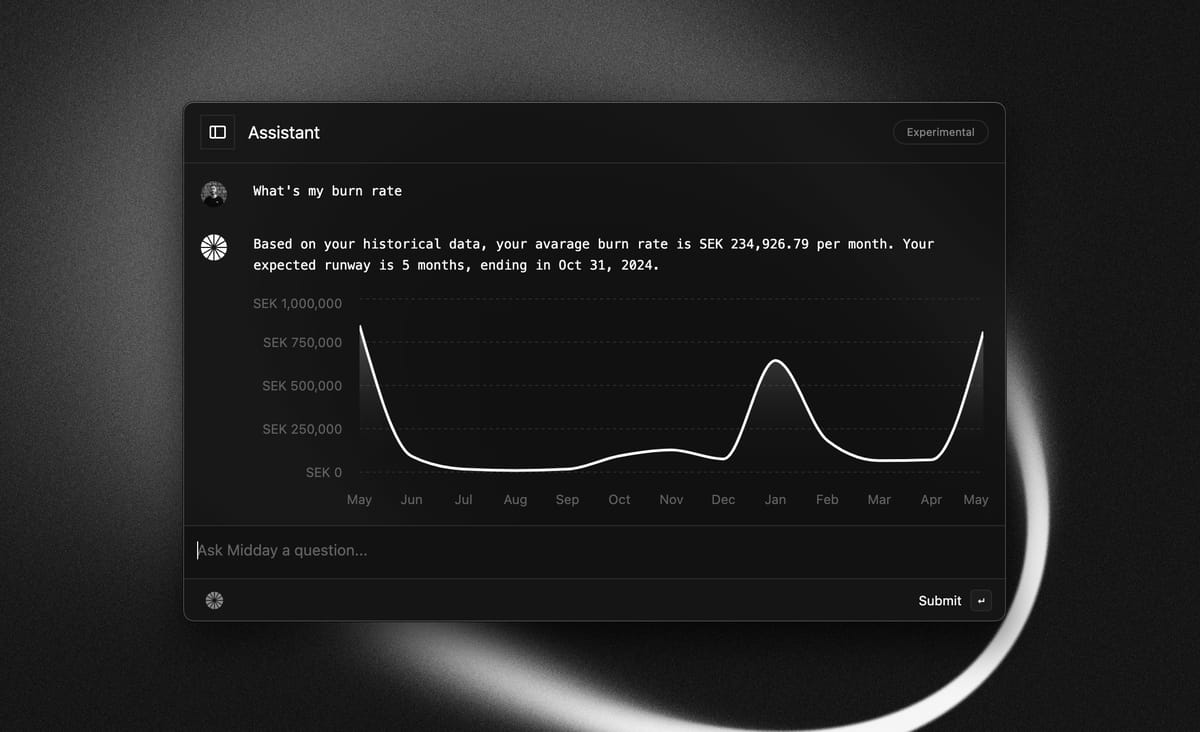
Our most requested feature is now ready for you to try! Introducing Midday Assistant. With help from the community, we have implemented many great features. Here are some highlights of what you can do using the assistant today:


  • Find the things you are looking for (transactions, invoices, documents, and more)
  • Watch your spending
  • View your profit, revenue, burn rate, and revenue graphs
  • Find transactions without receipts

These are just some examples. You can ask follow-up questions and dig deeper into your data.


This is just the beginning of Midday Assistant, and we will continue to invest and listen to your feedback so you have everything you need to run your business. Don't hesitate to give us feedback directly from the assistant or by scheduling a quick 15-minute call with us to share your thoughts!


If you are running Midday on Mac, you should update to v1.9 for the latest version.


To get started you can sign in here.

Engineering

How we are sending notifications easy with Novu

How we are sending notifications easy with Novu

Midday is all about being on top of your business. Stay informed about your business insights, track when you get paid, receive updates on new transactions, and access general information how your business actually are doing. And that includes well-timed notifications via emails and push notifications, carefully curated for your convenience.


The challenge: Implementing a unified infrastructure for notifications

From the beginning, we knew the importance of a unified approach to managing our notifications. From past experiences of stitching together different solutions to support various notification needs, we were determined to create a system that could seamlessly support web, desktop, and mobile applications. Our goal is to ensure that our notification system can scale alongside our growth.


The solution: Novu

While we tried a bunch of different providers we decided to go with Novu based on our requirements:

  • Support Resend, Expo
  • In App notifications
  • User Preferences

Novu not only ticked every box they also got a huge bonus for being open source and you get 30K events/month for free.


Implementation and SDKs

We started with created our own package @midday/notifications where we installed @novu/node dependency, where we register our notification types for convenience:

// Our notification templates
export enum Templates {
  Transaction = "transaction",
  Transactions = "transactions",
  Inbox = "inbox",
  Match = "match",
}

// Our notification types (email|in-app)
export enum Events {
  TransactionNewInApp = "transaction_new_in_app",
  TransactionsNewInApp = "transactions_new_in_app",
  TransactionNewEmail = "transaction_new_email",
  InboxNewInApp = "inbox_new_in_app",
  MatchNewInApp = "match_in_app",
}

And using our New Transactions email as an example, which is sent from a background job using Trigger.dev when you have new transactions.

import { Notifications, Types, Events } from "@midday/notifications";

// Generate html from react-email
const html = await renderAsync(
  TransactionsEmail({
    fullName: user.full_name,
    transactions,
    locale: user.locale,
  })
);

await Notifications.trigger({
  name: Events.TransactionNewEmail,
  payload: {
    type: Types.Transaction,
    subject: t("transactions.subject"),
    html,
  },
  user: {
    subscriberId: user.id,
    teamId: team_id,
    email: user.email,
    fullName: user.full_name,
    avatarUrl: user.avatar_url,
  },
});

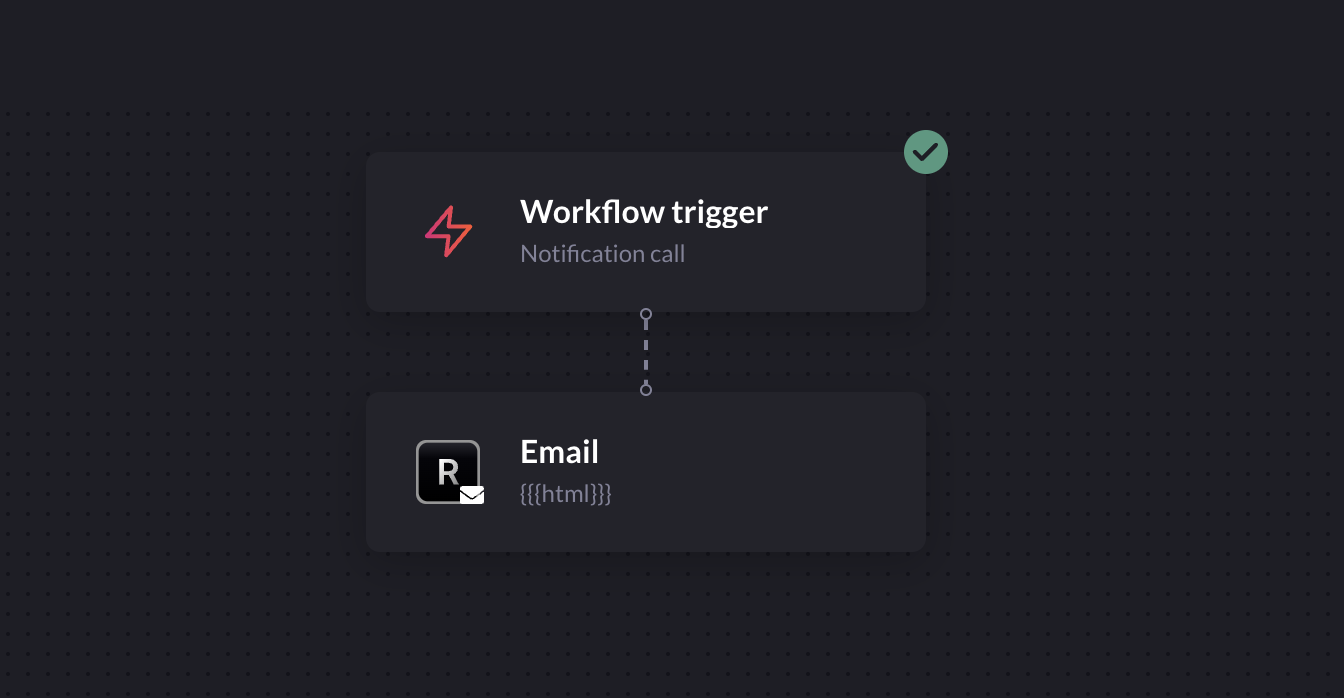
Because we are sending the email with the variables subject and html with the generated content we are just adding those to Novu and then we're done.


Novu - Variables


And to send In App Notifications it's just a matter of changing the Events and Types.

import { Notifications, Types, Events } from "@midday/notifications";

await Notifications.trigger({
  name: Events.TransactionNewInApp,
  payload: {
    recordId: transaction.id,
    type: Types.Transaction,
    description: t("notifications.transaction", {
      from: transaction.name,
    }),
  },
  user: {
    subscriberId: user.id,
    teamId: team_id,
    email: user.email,
    fullName: user.full_name,
    avatarUrl: user.avatar_url,
  },
});

The results: Beautiful In App Notifications and Emails


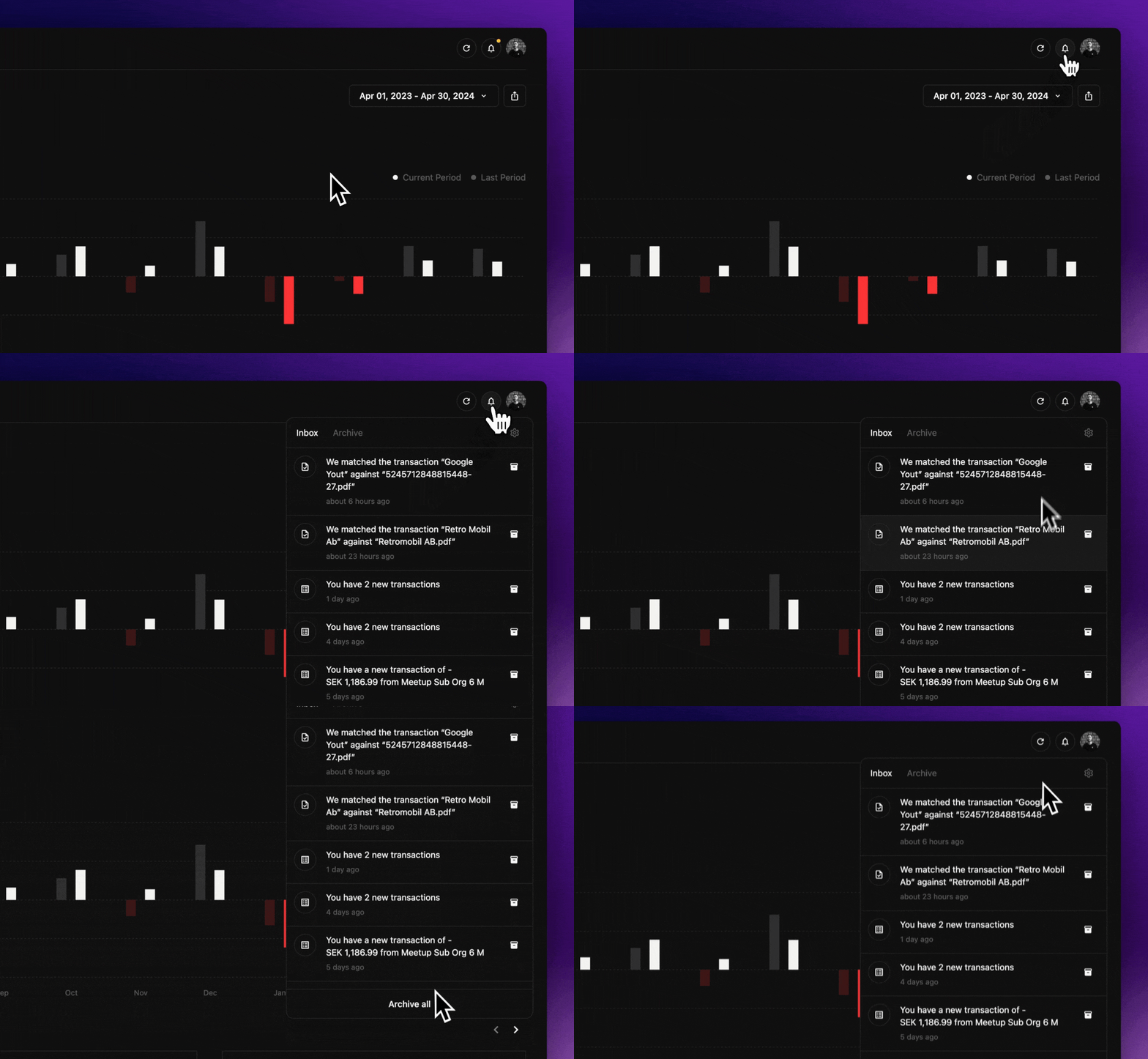
Midday - In App Notifications


Thanks to the SDK @novu/headless we implemented the notification center for Midday in a matter of hours to match our branding exacly like we wanted while Novu delivers the notifications in realtime.


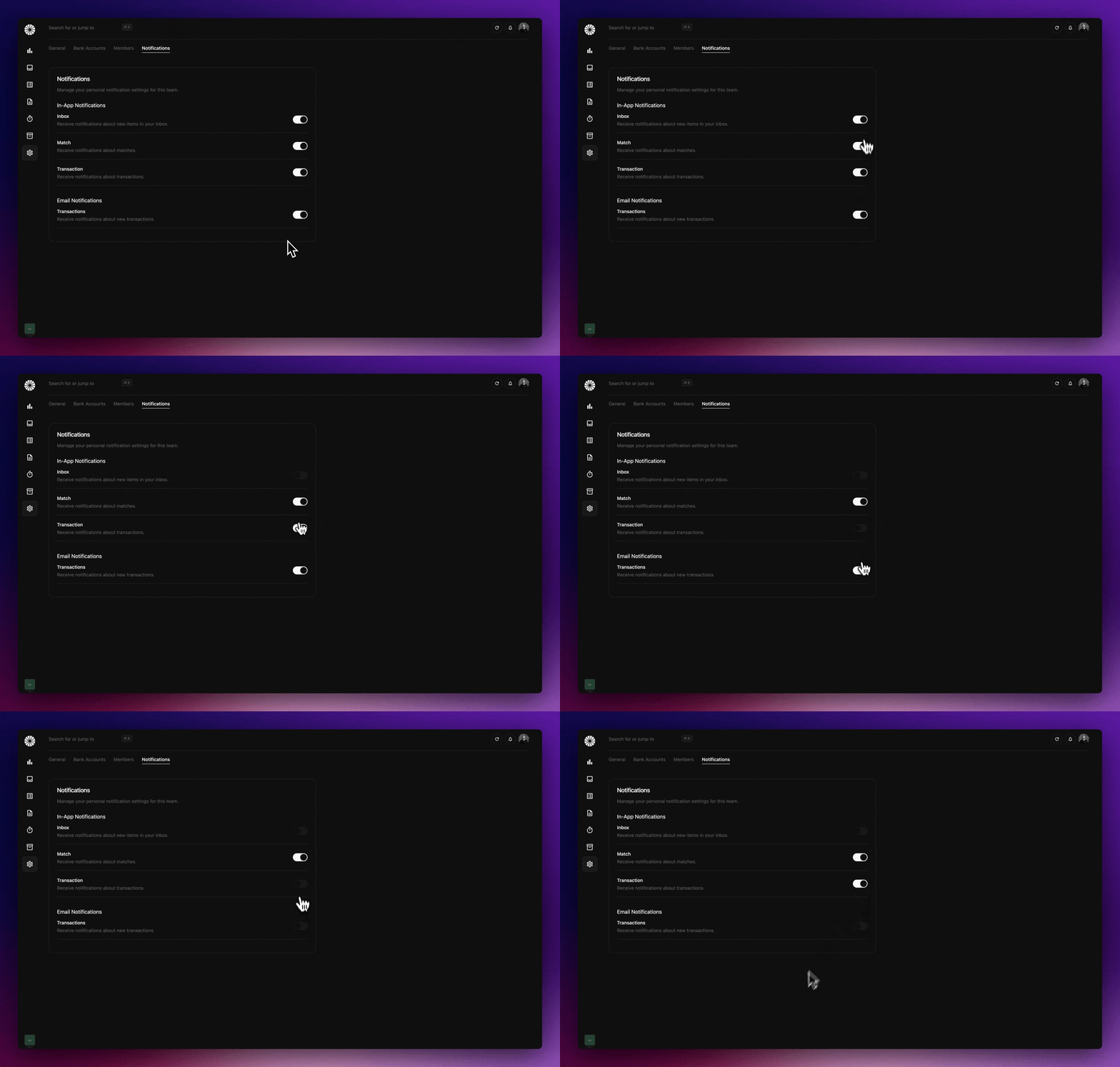
And for user preferences we just use their API together with a simple server action.


Midday - In App Notifications


The future of Midday x Novu

We are really happy that we chose to use Novu, We have several smart notifications planned that will offer valuable business insights. Plus, Novu will integrate smoothly with our upcoming mobile app, allowing us to send push notifications effortlessly via Expo by just connecting a new provider.


GitHub

While this is just a draft on how we are using Novu in production you can dig deeper into the codebase in our repository.

Engineering

How we take data-driven decisions with LogSnag

How we take data-driven decisions with LogSnag

It's important for every new product to take the right decisions as often you can, and thanks for our public roadmap, votes on feature request and building in public we have a deep connection with our users, but on top of that we also want data to back our decisions. And thats why we have implemented LogSnag to track a lot of events so we can take data-driven decisions too.


There are planty of ways how you can implement analytics, in this blog post we will share how we solved it in Midday using NextJS and server-actions.


Because we have a monorepo we started with creating a new package called @midday/events where we install @logsnag/next.


The package includes all the events we want to track in Midday for example:

{
    SignIn: {
        name: "User Signed In",
        icon: "🌝",
        channel: "login",
    },
        SignOut: {
        name: "User Signed Out",
        icon: "🌝",
        channel: "login",
    },
}

And based of these realtime events we can make clear graphs like Line Chart, Bar Chart and Funnel Charts.


LogSnag - Events


How we implemented LogSnag

When you sign in to Midday we first ask you about tracking, we want you to keep your privacy. This is done by showing a Toast component with the option to Accept or Decline, we save this decision in a cookie so we now if we should add a identifier for the events or not.


LogSnag - Events


We run a server action called tracking-consent-action.ts:

"use server";

import { Cookies } from "@/utils/constants";
import { addYears } from "date-fns";
import { cookies } from "next/headers";
import { action } from "./safe-action";
import { trackingConsentSchema } from "./schema";

export const trackingConsentAction = action(
  trackingConsentSchema,
  async (value) => {
    cookies().set({
      name: Cookies.TrackingConsent,
      value: value ? "1" : "0",
      expires: addYears(new Date(), 1),
    });

    return value;
  }
);

We then wrap the track method from LogSnag to enable or disabled the user_id to the event.

export const setupLogSnag = async (options?: Props) => {
  const { userId, fullName } = options ?? {};
  const consent = cookies().get(Cookies.TrackingConsent)?.value === "0";

  const logsnag = new LogSnag({
    token: process.env.LOGSNAG_PRIVATE_TOKEN!,
    project: process.env.NEXT_PUBLIC_LOGSNAG_PROJECT!,
    disableTracking: Boolean(process.env.NEXT_PUBLIC_LOGSNAG_DISABLED!),
  });

  if (consent && userId && fullName) {
    await logsnag.identify({
      user_id: userId,
      properties: {
        name: fullName,
      },
    });
  }

  return {
    ...logsnag,
    track: (options: TrackOptions) =>
      logsnag.track({
        ...options,
        user_id: consent ? userId : undefined,
      }),
  };
};

We use the setupLogSnag function like this:

export const exportTransactionsAction = action(
  exportTransactionsSchema,
  async (transactionIds) => {
    const user = await getUser();

    const event = await client.sendEvent({
      name: Events.TRANSACTIONS_EXPORT,
      payload: {
        transactionIds,
        teamId: user.data.team_id,
        locale: user.data.locale,
      },
    });

    const logsnag = await setupLogSnag({
      userId: user.data.id,
      fullName: user.data.full_name,
    });

    logsnag.track({
      event: LogEvents.ExportTransactions.name,
      icon: LogEvents.ExportTransactions.icon,
      channel: LogEvents.ExportTransactions.channel,
    });

    return event;
  }
);

We have a lot of events and charts pushing us to take right decisions, you can find the source code for this in our repository here.